Problem
Agent workflows can pass functional testing while still failing operationally. A shared credit pool can run out, background processing can become stale, a conversational interface can update the wrong record, or a customer-facing agent can complete a procedure without leaving a verifiable business outcome.
Why it matters
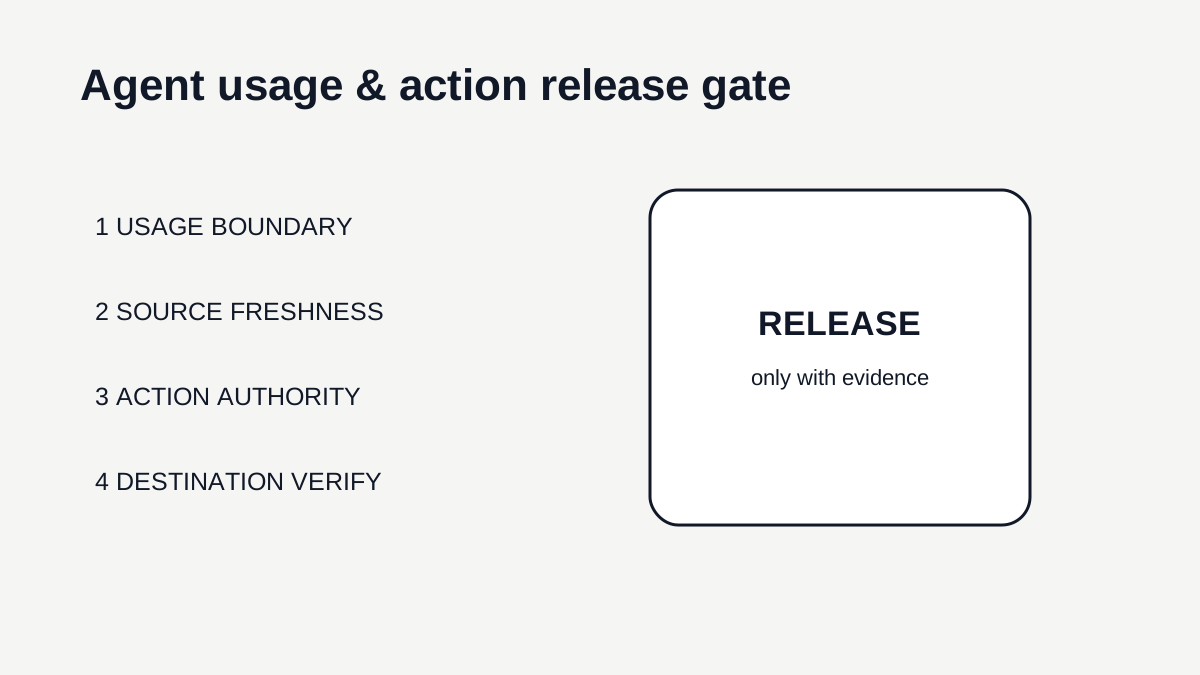
Current Gong, Zendesk and Common Room product surfaces show three distinct control points: usage capacity, live customer action and conversational write access. RevOps needs one release gate that connects those points before an agent receives wider production scope.
1. Define the business action and owner
Write the workflow's production purpose in one sentence using a real business object and outcome. Examples include produce a reviewed account brief, update one approved CRM field, classify a conversation for a named queue, or complete a bounded support procedure. Avoid goals such as use more AI or automate research because they do not identify what another operator should verify.
Name the business owner separately from the platform administrator. The business owner decides whether the outcome is useful and safe for the process. The administrator can manage credits, permissions and integration settings, but should not silently acquire authority over sales, customer-success or support decisions merely because the feature lives in an admin console.
2. Record the usage boundary
Identify the native unit that constrains the workflow: credits, API calls, tokens, processed conversations, licensed actions or another documented capacity. Record whether consumption is triggered by an individual, a schedule or a background feature. Gong's credit model is a useful example because user-initiated actions can have monthly limits while company-wide background processing still draws from the shared pool.
Set an alert and a stop rule. The stop rule should state what happens to the business workflow when capacity is low or exhausted. A low-risk internal summary might wait. A workflow that feeds forecast, segmentation or customer action may require a freshness check or a human fallback. Do not assume that a visible old result is still current evidence.
3. Verify identity and source freshness
Resolve the exact business entity before the agent reasons or acts. Store stable account, deal, person, ticket or subscription identifiers and the relationship between them. Display names and email addresses can change and should not be the sole authority for a consequential write.
For each important input, store the source and relevant timestamp. Distinguish observation time from processing time. If the workflow uses a tracker, warehouse field or derived segment that updates asynchronously, define the maximum acceptable age. When the source crosses that boundary, route the item to review instead of letting stale context look like a valid fresh signal.
4. Constrain the action surface
List the objects, fields and external actions the agent may use. Separate read, propose and execute permissions. A conversational tool that can research accounts and also create contacts should not automatically receive the same approval path for both actions. Start with the smallest write surface that supports the intended business outcome.
Protect high-consequence customer and commercial changes behind stronger policy. Require an explicit preview for the target record, current value, proposed value and reason. When the action is customer-facing, include the policy or procedure version and escalation route. A generic confirmation button is weaker than a preview that shows the exact business state being changed.
5. Build duplicate and replay protection
Define what makes one business action unique. The key may combine record ID, workflow version, event type and source timestamp. Store it before execution where possible. A retry after a timeout should check whether the destination already reflects the intended result before repeating the write.
Treat reruns as new evaluations, not automatic permission to repeat. Re-read the current record and resource state. If the customer, owner, stage, segment or source evidence changed after the original run, the old proposed action may no longer be valid even if the technical request can be replayed.
6. Verify the destination state
After a material action, read the destination system and compare the result with the approved intent. An API 200 response or completed agent step is not enough when another rule, sync or concurrent user can alter the final state. Store the resulting record reference and checked-at time in the workflow evidence.
For customer conversations, verify the durable support or CRM outcome rather than only the transcript. Zendesk's voice AI model can carry context into Agent Workspace when escalation is needed; the operational test is whether the receiving person has the necessary context and whether the final customer record reflects what actually happened.
7. Exercise the fallback path
Test one exhausted-budget case, one stale-source case, one denied permission, one ambiguous identity and one partial destination failure before expanding production. The expected result is not that every case succeeds. It is that each case stops or routes predictably with enough context for a named owner to continue the work.
Measure how long exceptions remain unresolved and whether the fallback creates duplicate work. A fallback that simply drops the item into a generic queue moves the failure without controlling it. The receiving queue should show the original record, reason, evidence, attempted action and next decision.
8. Review usage with verified outcomes
In the first production cycle, report usage consumed, attempted actions, completed actions, verified actions, holds and rework. Do not call high usage adoption or low usage failure without knowing how much qualified work existed. The purpose is to see whether the workflow turns constrained capacity into correct business outcomes.
Review top consumers and repeated failure classes weekly. If one prompt or segment drives disproportionate usage, inspect its scope. If one destination repeatedly rejects or reverses writes, fix the integration or authority rule before tuning the model. Expand only after the team can reconstruct sampled work from source evidence to verified state.
Step-by-step workflow
- Name the business object, intended outcome and accountable business owner.
- Document the native usage unit, shared or user-level limit, alert threshold and stop behavior.
- Separate interactive usage from scheduled or background consumption.
- Map stable business identity and define a freshness window for every material source.
- Restrict the agent to explicit read, propose and execute actions.
- Preview target, current state, proposed state and source evidence for consequential writes.
- Add an idempotency or business-action key and a pre-retry destination check.
- Read the destination after execution and store the verified final state.
- Test exhaustion, stale evidence, denied permission, ambiguous identity and partial failure.
- Review usage against verified outcomes before expanding scope.
CRM fields and signals needed
- Business record ID and object type
- Workflow and prompt version
- Initiating user or service identity
- Native usage unit and amount
- Shared-pool or workspace balance
- User-level limit where applicable
- Source system and observed-at time
- Action type and target field
- Current and proposed value
- Approval actor and timestamp
- Destination record and verified-at time
- Fallback reason and exception owner
- Rework or reversal outcome
Operating quality check
Use this check before adding more tooling. The goal is to prove that the workflow is owned, current, and inspectable inside the system of action.
| Area | Healthy pattern | Risk pattern |
|---|---|---|
| Usage | The workflow has an owner, unit, ceiling, alert and tested stop behavior. | Capacity can run out while dependent work continues on stale evidence. |
| Identity | Every action resolves to one stable business object. | The target is inferred from a name or ambiguous relationship. |
| Authority | Read, propose and execute permissions are explicit and proportional to consequence. | A conversational interface inherits broad write access by convenience. |
| Verification | Material outcomes are read back from the destination. | A model or API completion flag is counted as the business result. |
| Fallback | Failed or blocked work routes with evidence to a named owner. | Exceptions disappear into a generic queue or are retried blindly. |
Common mistakes
- Treating a budget alert as a finance-only event even when downstream evidence can become stale.
- Assuming a per-user limit covers background consumption.
- Giving a conversational interface broad write authority because read-only testing looked safe.
- Counting a completed tool call as a verified business result.
- Retrying after a timeout without checking whether the original action already committed.
- Using display names or mutable labels as the only identity key.
- Keeping no explicit fallback for exhausted capacity or stale evidence.
- Comparing raw credits or tokens across vendors as if they were equivalent business units.
Weekly agent usage and action review
- Business object and stable ID
- Source evidence and freshness
- Workflow version
- Usage state
- Proposed action
- Current destination state
- Approval or policy result
- Verified final state
- Exception owner if incomplete
Example operating rhythm
- Before launch: complete the full release gate on a bounded cohort.
- Daily during the first week: inspect budget holds, stale-source holds, denied actions and destination mismatches.
- Weekly: compare usage, verified actions, rework and top failure classes by workflow.
- Monthly: review limits, workspace allocations, background jobs and unused workflows with platform and business owners.
- After a material model, source, permission or action change: rerun the gate before wider rollout.
Tooling options
- Gong credit controls for shared-pool, user-limit and workspace-allocation evidence.
- Zendesk Agent Workspace and voice AI handoff context for customer-facing completion checks.
- Common Room Connector or Claude Plugin logs plus workspace record history for conversational actions.
- CRM record history for before-and-after verification.
- A small exception queue with reason, owner, due date and source links.
Source notes
These sources support the workflow model and product concepts. They do not prove a specific business outcome, benchmark result, or vendor claim.
- Gong: About Gong credits: Official controls and exhaustion behavior updated September 27, 2026.
- Zendesk: Announcing voice AI agents: Official GA update and voice-agent workflow description.
- Common Room: Claude Connector & Plugin: Official September 23 guide for natural-language research and workspace mutations.
Last updated: 2026-09-28
Decision frameworks to read next
FAQ
Does every AI workflow need a usage limit?
Not necessarily. The gate requires a documented resource boundary. Some features are bundled or constrained by a different quota, but the team should still know what can stop or degrade the workflow.
Is a successful agent run enough verification?
No for material work. Read the destination state or obtain accountable human confirmation that the intended business result exists.
How should background agents be governed?
Give them a named owner, explicit scope, shared-resource limit, freshness rule, exception path and periodic review. Do not rely on per-user limits to control system-level consumption.
When should the gate be repeated?
Repeat it after material changes to source data, model, prompt, permissions, action scope, vendor packaging or the business consequence of the workflow.