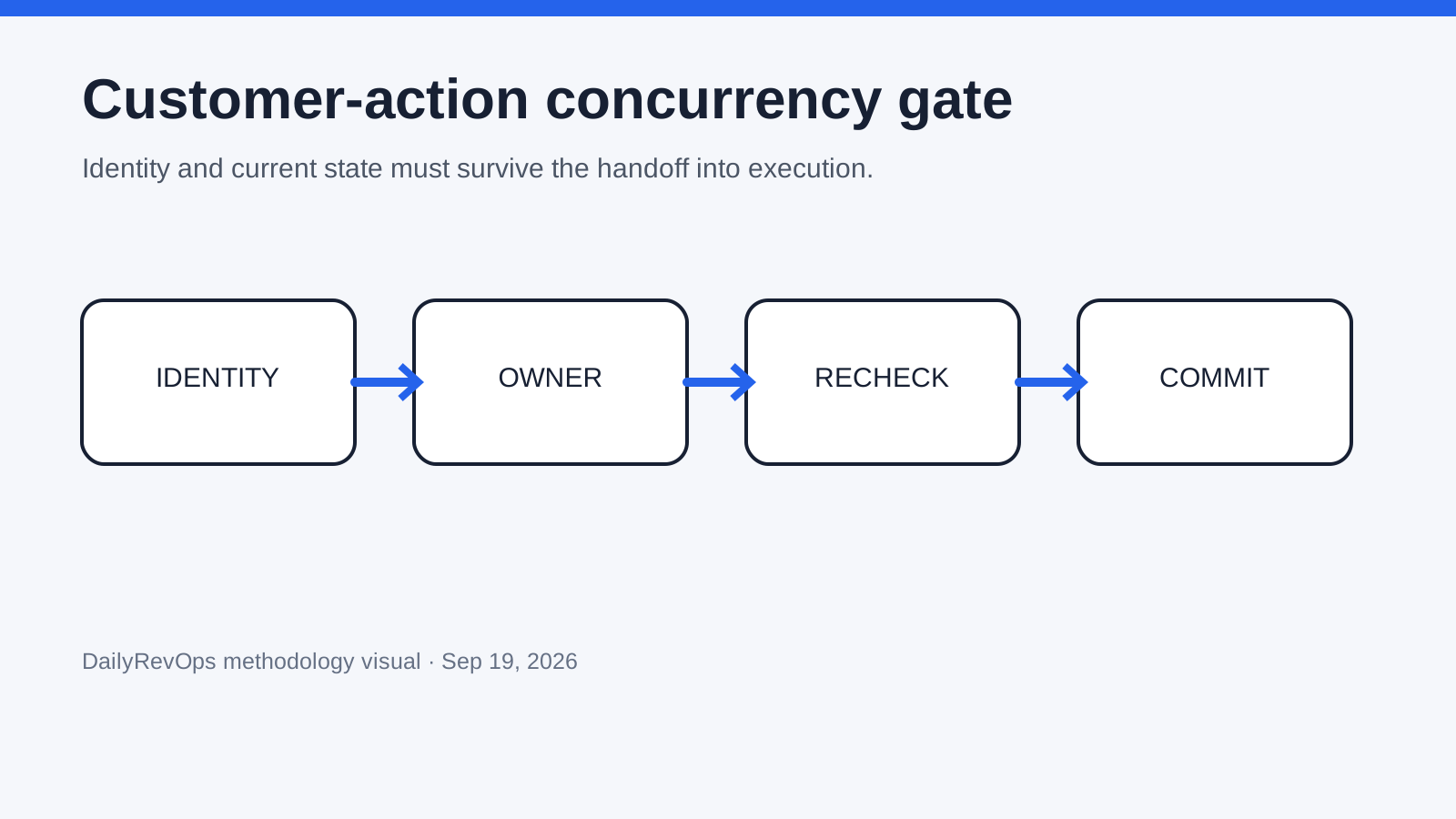
Problem
Customer work increasingly begins in one system and finishes in another. A support conversation can create a refund, a lifecycle file can trigger a one-time message, and an AI agent can act proactively from a business event. When ownership and pending actions are not shared, two individually valid workflows can create a duplicated or conflicting customer outcome.
Why it matters
Intercom's live co-viewing cue, Customer.io's CSV recipient path and Zendesk's Specialized AI Agents all make the same operating boundary visible from different directions: teams need to know who or what is already handling the customer before another action executes. A small concurrency gate makes that state explicit without requiring one platform to own the entire customer journey.
1. Define the business action
Name one consequence that should happen at most once for a given business event: send this notice, create this refund, close this case, create this renewal task or update this customer status. Write the target system, customer identifier, action type and business-event identifier before designing automation around it.
Separate the action from the preparation. Reading context, drafting a reply, calculating eligibility and proposing a refund can happen more than once without creating duplicate customer consequences. The gate should become strict only when the workflow is about to write, send, charge, credit, book, cancel or otherwise change the customer's state.
2. Establish ownership and presence
Record the assigned owner and any currently active operator or automation. Presence is advisory; ownership is authoritative. If a second teammate is viewing an Intercom conversation, that can trigger coordination without silently transferring the case. If an agent execution is already running, expose that state with the same seriousness as a human viewer.
Define what happens when ownership is missing or conflicting. High-consequence work should stop or route to an exception queue rather than let the next actor infer ownership from the latest note. Low-consequence drafting can continue as long as no external action executes before the conflict is resolved.
3. Create a stable action key
Build an idempotency key from stable business facts rather than a transport request ID. A useful key might combine customer, order, action type and triggering event. The exact formula depends on the workflow, but it should represent the business consequence that must not be created twice.
Store the key with the final action in the authoritative destination. On retry or second execution, check for an existing committed action before creating another. Decide separately when a new business event legitimately permits the same action type again, and test that boundary so duplicate prevention does not become a permanent block.
4. Revalidate material state
Immediately before execution, refresh the fields that can invalidate the decision: customer identity, current owner, subscription preference, payment state, order state, existing task, case status or approval. Do not rely only on context gathered when the proposal was first created if minutes or hours can pass before action.
Force a changed-state test. Prepare an action, change one material source field, then attempt execution. The workflow should re-evaluate or explicitly reject the stale proposal. Record which source was re-read and what difference caused the stop so operators can distinguish a healthy safeguard from a technical failure.
5. Reconcile external audiences
For file-defined messaging, keep source rows, resolved recipients and final eligible recipients as separate counts. Record unmatched identities, duplicates, subscription exclusions and any manual removals. The uploaded file is an upstream selection artifact, not proof that every row should receive the message.
Sample resolved recipients across different lifecycle states and verify the same identity key exists in the source and destination. For a high-consequence notice, retain the source artifact and reconciliation summary under the same release identifier as the content and send approval.
6. Make approval inspect the state
An approval surface should show the customer, current owner, source evidence, current material state, proposed action, pending executions and action key. Do not ask a reviewer to approve only the generated prose when the real consequence is a record write, message or financial action.
Define which changes invalidate the approval. A changed amount, recipient, account, consent state or target system should normally require reapproval. A formatting edit may not. Record the policy so the workflow does not treat every retry as a new approval or every materially different action as the same one.
7. Observe, stop and reconcile
During the first production window, monitor duplicate blocks, changed-state denials, ambiguous ownership, unmatched identities and downstream failures alongside successful actions. A high denial rate can indicate a healthy control catching messy data, but it can also show that prerequisites are not ready for automation.
Give one person authority to stop the workflow. After a stop, reconcile which actions committed and which were only proposed or queued. Removing a connector or disabling an agent does not reverse completed messages, refunds or CRM writes, so recovery must start from actual destination state.
Step-by-step workflow
- Name the customer-facing business action and authoritative destination.
- Choose the stable customer identifier and triggering business-event identifier.
- Define assigned ownership and how active human or machine presence is exposed.
- Create and persist a business-level idempotency key.
- List material source fields that must be refreshed immediately before execution.
- For file audiences, reconcile source, resolved and eligible recipient counts.
- Show owner, evidence, pending work and current state in the approval surface.
- Test a duplicate request, changed-state request, missing owner and unavailable source.
- Monitor denials and collisions during the first production window.
- Document stop authority, destination reconciliation and rollback or remediation.
CRM fields and signals needed
- Stable customer and business-event identifiers
- Assigned owner, active viewers and active machine execution
- Pending approval, queued action and committed action status
- Source system, material field values and fetched-at timestamps
- Idempotency key, destination action ID and duplicate-block result
- Audience source count, resolved count, excluded count and delivered count
Common mistakes
- Treating an active viewer as the authoritative owner.
- Using a request UUID that changes on retry instead of a stable business-action key.
- Approving generated language without showing the actual downstream write or send.
- Assuming an uploaded audience file proves consent or current eligibility.
- Checking state when a proposal is drafted but not immediately before execution.
- Disabling automation without reconciling actions that already committed.
Example operating rhythm
- Before launch: pass duplicate, changed-state, missing-owner and unavailable-source tests.
- Daily in week one: review collision blocks, denials, stale proposals and manual overrides.
- After any integration or permission change: rerun identity, authority and idempotency tests.
- Weekly: reconcile pending work across support, CRM and lifecycle systems.
- After an incident: stop execution first, reconstruct committed actions, then repair policy or data before reopening.
Tooling options
- Use the destination system for the committed business-action record.
- Use the customer service or messaging tool for workflow context, not as universal authority for every commercial fact.
- Use a small execution ledger when several systems need to observe the same pending action.
- Use source exports and audience-reconciliation artifacts for one-time customer communication.
- Keep human-readable release evidence outside transient chat or inbox presence state.
Source notes
These sources support the workflow model and product concepts. They do not prove a specific business outcome, benchmark result, or vendor claim.
- Customer.io release notes: CSV recipients: Official September 17, 2026 release note for CSV-defined recipients in one-time sends.
- Customer.io one-time sends: Official implementation documentation for recipient conditions, CSV requirements, subscriptions, scheduling and rate limits.
- Intercom Table-view co-viewing: Official September 17, 2026 changelog describing live teammate viewer avatars in Inbox Table view.
- Zendesk Specialized AI Agents: Official September 14, 2026 launch of Industry Agents and Custom Agents.
Last updated: 2026-09-19
Decision frameworks to read next
FAQ
Is assignment enough to prevent duplicate customer actions?
No. Assignment says who owns the work, but another person or automation can still act unless pending execution and duplicate prevention are visible at the action boundary.
Should every customer action require human approval?
No. Low-consequence, deterministic actions can be policy-approved when identity, current state and idempotency are proven. Higher-consequence or ambiguous actions need stronger review.
What is the minimum useful idempotency key?
A key should represent the business consequence, usually including the customer or account, the triggering business event and the action type. It should remain stable across transport retries.
Why keep audience reconciliation separate from consent?
The audience artifact describes who an upstream process selected. Consent, suppression and communication policy determine who the messaging system may actually contact for the specific purpose.