Short verdict
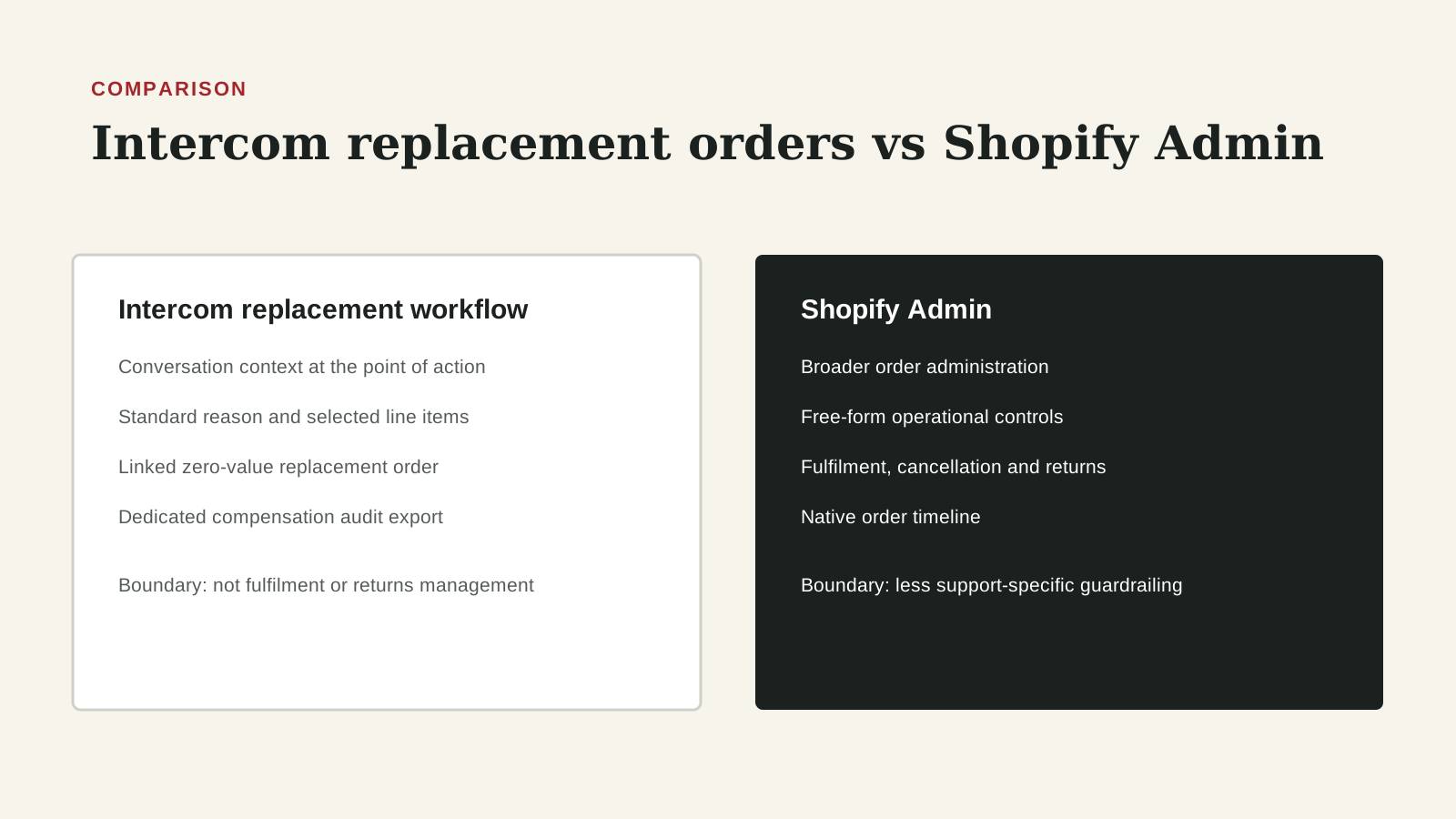
Intercom can shorten the controlled path from customer confirmation to a Shopify replacement order. Shopify Admin remains the broader operational surface. The stronger design assigns each path a purpose and preserves the same case-to-order evidence.
This comparison is written for RevOps, Sales Ops, GTM Operations, and Customer Success Ops teams that need a practical decision framework. It focuses on workflow ownership, CRM data quality, implementation effort, source-of-truth behavior, and the operating rhythm each option supports.
Who each option is best for
Use Intercom when a support operator can resolve an eligible same-country replacement in the customer conversation. Use Shopify Admin for broader commerce administration and named exceptions that exceed the supported inbox flow.
The right answer depends on the job the team is trying to improve. A tool that is strong for one operating model can be a poor fit when the real problem is ownership, dirty CRM data, missing renewal dates, weak handoffs, or an unclear forecast process. Use this page to map the workflow before treating either option as the default.
Operating questions before choosing
- Which recurring meeting or workflow will change if the team chooses Intercom replacement flow or Shopify Admin?
- Which CRM records, fields, activities, or customer signals are required for the workflow to be trusted?
- Who owns the next action when the system surfaces a risk, alert, forecast change, or customer signal?
- Does the option write usable context back to the system of record, or does it create another place to inspect?
- What manual review work should decrease after implementation?
Side-by-side table
| Criterion | Intercom replacement flow | Shopify Admin | Editorial note |
|---|---|---|---|
| Operating context | The agent acts inside the Intercom conversation with the customer context visible. | The operator acts in the commerce administration surface. | Choose the context that supports the decision, then preserve a link to the other system. |
| Address change | October 7 update supports a different address within the same country, using regions available from Shopify. | Supports the broader order-administration capabilities and policies configured in Shopify. | Tool capability does not replace identity checks or company policy. |
| Customer confirmation | Can be captured directly in the conversation before the replacement action. | Usually requires the operator to reference evidence held in the support or case system. | Store the final confirmed destination, not merely a note saying the address changed. |
| Order result | Intercom documentation describes creation of a new $0 Shopify order linked to the original order context. | Direct administrative action in the commerce system. | Preserve the new order identifier and original-to-replacement relationship in either path. |
| Reason capture | A reason is required in the documented replacement workflow. | Reason and note requirements depend on the configured administrative process. | Use a governed reason taxonomy so reporting can compare paths. |
| Audit evidence | Intercom states that replacement actions are recorded in Auditing events. | Shopify supplies order history and administrative records appropriate to its surface. | Neither record alone proves customer intent, authorization and delivery outcome. |
| Exception breadth | Best for supported service-recovery cases handled by an authorized support team. | Better suited to complex inventory, fulfilment or policy exceptions requiring commerce expertise. | Route unsupported cases; do not force them through a convenient interface. |
| Permission design | Can narrow replacement capability to the support operators who need it. | Administrative permissions can expose a wider range of commerce actions. | Review least privilege and high-risk thresholds for both. |
| Reporting grain | Conversation, original order, replacement action and audit event. | Order, line item, fulfilment, payment and administrative history. | A governed bridge is required for end-to-end performance and cost reporting. |
| Failure recovery | The conversation remains the natural place to explain delays and collect corrected information. | The commerce surface is the natural place to stop or correct operational fulfilment. | Name the owner who coordinates a correction across both systems. |
Workflow comparison
- Define replacement eligibility, authorization thresholds and exception ownership before granting access.
- Resolve the customer and original order in the conversation.
- Capture the reason, eligible items, quantity and complete customer-confirmed address.
- Use Intercom for supported same-country replacements; route broader exceptions to Shopify Admin.
- Link the replacement order identifier, operator, timestamp and execution path back to the case.
- Verify fulfilment and audit evidence, then close only when the customer and order outcomes agree.
- Review path mix, missing evidence, duplicates and unresolved exceptions each week.
A RevOps workflow should produce a visible action, not only a report. When comparing Intercom replacement flow and Shopify Admin, the team should look at the handoff from signal to owner to customer action. If the output does not change a task, meeting, field, renewal follow-up, forecast inspection, or manager review, the tool may become another dashboard rather than operating leverage.
Implementation complexity
Medium. The execution surfaces differ, but both need policy, identity, destination, order and audit controls.. The real complexity depends on data quality, ownership clarity, and whether the team changes its operating rhythm.
Implementation should start with source fields, permissions, integration points, and the review process. The most common failure is buying a tool before defining the workflow. A narrow pilot is usually safer than a full rollout because it reveals bad CRM fields, unclear owners, duplicate definitions, and gaps between the tool and the team operating cadence.
Data and CRM requirements
Reliable RevOps decisions need clean CRM data. Before choosing between Intercom replacement flow and Shopify Admin, check owner fields, lifecycle stage, account and opportunity status, renewal or close dates, activity history, task ownership, and the fields that drive routing or reporting. If these fields are not trusted, the comparison should include a data cleanup step.
- Define the system of record for the workflow.
- List the fields that trigger action or reporting.
- Decide which fields can be written automatically and which need review.
- Document what evidence an operator should inspect before acting.
- Measure whether the workflow reduces missed follow-up or manual reconciliation.
Data model impact
- Model a replacement case, original order, replacement order, reason, items, quantities, proposed and confirmed destination, execution path, actor, timestamps, audit event, fulfilment state and terminal outcome. Keep sensitive address data governed and minimize copies.
CRM fields and signals to check
- replacement_case_id
- original_order_id
- replacement_order_id
- replacement_reason
- execution_path
- address_confirmation_at
- replacement_status
- terminal_outcome
- exception_owner
Cost and maintenance considerations
Intercom may reduce handling time for support-owned replacements by avoiding a surface switch, but the commercial effect depends on existing plans, permissions, training and workflow volume. Shopify Admin is already the commerce control surface for many teams. Calculate cost from operator time, shipping, inventory, exception handling and duplicate-error exposure; do not infer savings from fewer clicks.
Cost should include licenses, setup time, admin maintenance, integration work, enablement, governance, and the opportunity cost of manual review. A cheaper workflow can become expensive if it requires weekly spreadsheet cleanup. A larger platform can become expensive if the team only uses a narrow part of it. RevOps should compare total operating cost, not only subscription price.
Risks and limitations
- An agent could execute a replacement before policy eligibility or identity is established.
- A partial address update could be mistaken for confirmation of the full destination.
- A $0 replacement could be omitted from cost and inventory reporting.
- Direct Shopify exceptions could bypass the support case or governed reason taxonomy.
- Permissions could be broader than the operator role requires.
- Order creation could be counted as resolution before fulfilment or delivery.
The main risk in any RevOps tool comparison is overgeneralizing. No tool is universally best. The fit depends on company stage, CRM maturity, sales motion, renewal volume, customer success model, admin capacity, and how disciplined the team is about acting on signals.
Implementation risk
- The main implementation risk is a successful write without a reliable post-write verification or exception path. Test permissions, same-country address selection, order linking, failure states, audit export availability and reversal procedures in a non-production or controlled environment.
Governance risk
- If teams equate an available button with authorization, the workflow can create unreviewed inventory and shipping decisions. Separate role permission, policy eligibility and customer confirmation as distinct controls.
Alternatives and complements
- A help-desk macro can standardize evidence collection before either execution path.
- A warehouse model can reconcile replacements to fulfilment and cost outcomes.
- A dedicated returns-management system may be appropriate for complex reverse logistics.
- Automation should complement, not erase, the exception owner.
Weekly operating rhythm
- Review every exception and a sample of standard replacements weekly. Compare created, fulfilled, delivered, cancelled and duplicated states by execution path. Validate missing confirmation, reason and audit evidence before using the data for coaching or policy changes.
Decision framework
- Choose Intercom as the standard path when Support owns the eligible decision, the order is available in the conversation, the new address stays within the same country and the audit chain is verified.
- Choose Shopify Admin when the case requires broader commerce control or falls outside that boundary.
- Do not create competing policies: keep one approval model, one reason taxonomy and one reconciliation view.
If the team cannot name the owner, source field, review cadence, and next action, pause the purchase and map the workflow first. Strong RevOps teams buy tools to close a defined operating gap. They do not use tools to discover the process after the contract is signed.
FAQ
Does Intercom replace Shopify as the order system?
No. The documented flow creates a new Shopify order from the Intercom conversation. Shopify continues to hold order and fulfilment state.
Which option is faster?
Intercom can reduce context switching for supported support-owned cases. Actual cycle time depends on eligibility checks, customer confirmation, inventory and fulfilment, so measure the complete outcome.
Can teams use both?
Yes. A practical design uses Intercom as the standard supported path and Shopify Admin for named exceptions, while keeping one evidence and reporting model.
What is the minimum audit chain?
Customer confirmation, original order, approved reason and items, replacement order, actor and timestamp, execution path, audit evidence and final fulfilment outcome.
Source notes
These official references support the product and workflow context. DailyRevOps uses them to bound the comparison, not to imply outcomes, rankings, or adoption claims.
- Intercom: manage Shopify orders from the Inbox: Official workflow details for replacement creation and audit evidence.
- Intercom change: send replacements to a new address: Official October 7, 2026 source for same-country replacement addresses.
- Shopify help: returns and exchanges: Official Shopify context for direct administration.
Last updated: 2026-10-08