Short verdict
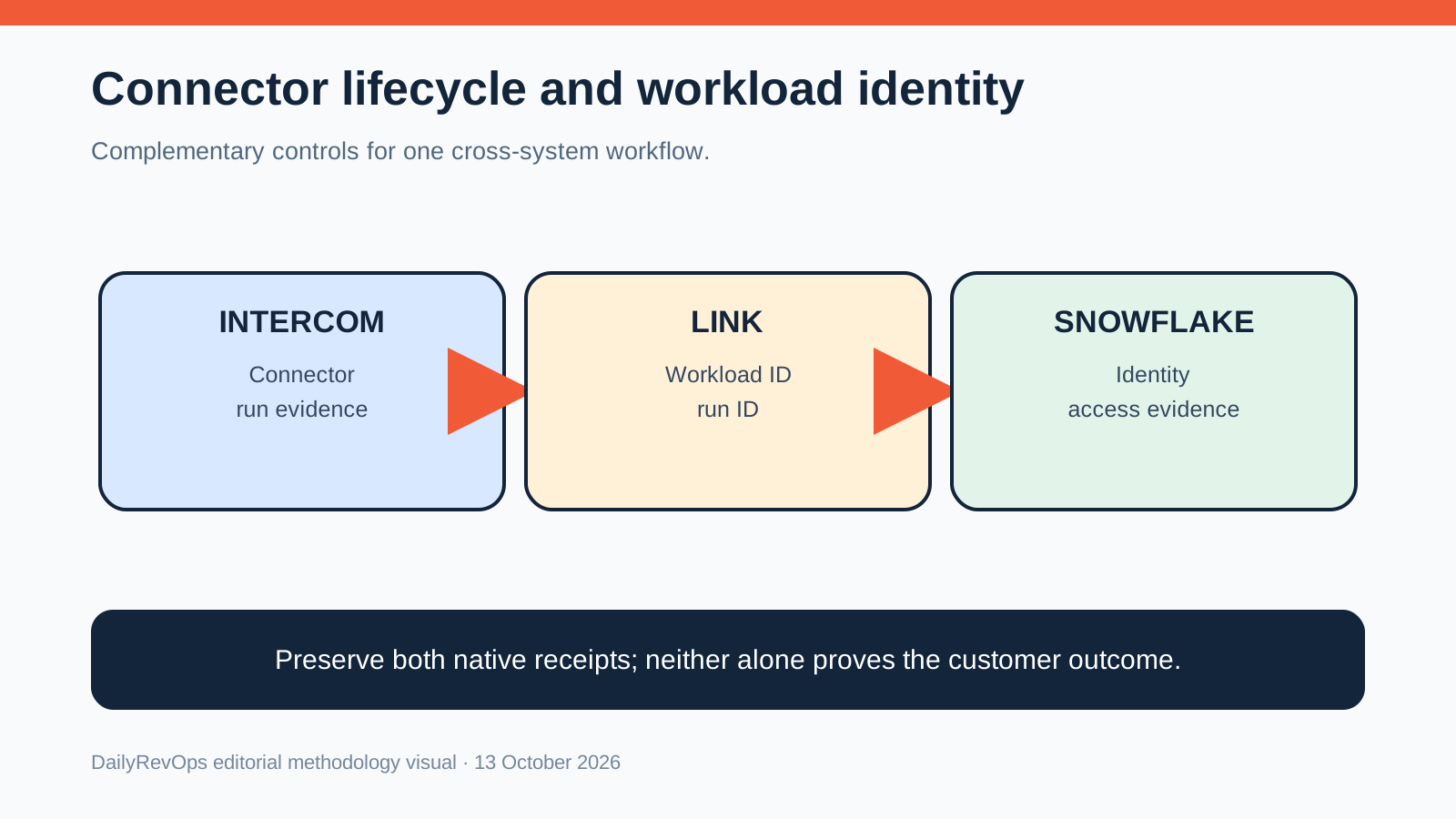
Use Intercom's API to govern the connector object and its runs. Use Snowflake workload identities to distinguish automated consumers that authenticate to the warehouse. If one connector reads Snowflake data, retain both receipts: the Snowflake identity proves which workload accessed data, and the Intercom connector evidence proves which configuration ran and what customer-operations context it produced.
This comparison is written for RevOps, Sales Ops, GTM Operations, and Customer Success Ops teams that need a practical decision framework. It focuses on workflow ownership, CRM data quality, implementation effort, source-of-truth behavior, and the operating rhythm each option supports.
Who each option is best for
Intercom Data Connectors fit teams governing how external context connectors are created, targeted and observed in Intercom. Snowflake named workload identities fit teams separating and attributing automated consumers attached to a Snowflake service user. They complement each other in a cross-system design but are not substitutes.
The right answer depends on the job the team is trying to improve. A tool that is strong for one operating model can be a poor fit when the real problem is ownership, dirty CRM data, missing renewal dates, weak handoffs, or an unclear forecast process. Use this page to map the workflow before treating either option as the default.
Operating questions before choosing
- Which recurring meeting or workflow will change if the team chooses Intercom Data Connectors API or Snowflake named workload identities?
- Which CRM records, fields, activities, or customer signals are required for the workflow to be trusted?
- Who owns the next action when the system surfaces a risk, alert, forecast change, or customer signal?
- Does the option write usable context back to the system of record, or does it create another place to inspect?
- What manual review work should decrease after implementation?
Side-by-side table
| Criterion | Intercom Data Connectors API | Snowflake named workload identities | Editorial note |
|---|---|---|---|
| Primary control object | Data Connector configuration, audience and execution history | Named workload identity attached to a service user | One governs connector lifecycle; the other identifies authentication. |
| Release date | API 2.17 listed October 12, 2026 | Feature update listed October 12, 2026 | DailyRevOps publication date is October 13. |
| Lifecycle operations | Create, update, delete and list connectors; new connectors start draft | Register, modify and remove named workload identities with SQL | Verify current account behavior and scopes. |
| Execution evidence | Connector execution history is an explicit API surface | Identity should be verified in warehouse and orchestration audit evidence | Configured state is not observed outcome. |
| Audience boundary | Connector audience targeting is part of configuration | Data reach is governed separately through roles and platform controls | Identity is not authorization. |
| Attribution unit | Connector object and run | Workload identity and authenticated activity | Link them with stable workload and run IDs. |
| Default limit | Confirm applicable API and account limits directly | Up to 10 named workload identities per service user by default | A limit is not an architecture benchmark. |
| Main false conclusion | A completed run proves every expected source record arrived | A named identity proves least privilege or full downstream attribution | Both require verification. |
| Recovery | Stop or revise connector, reconcile eligible outputs and verify downstream use | Rotate or revoke identity, drain dependent runs and verify replacement | Recovery follows the native control object. |
| Best joint pattern | Preserve connector version, audience and run result | Preserve workload identity, role, audit and rotation evidence | Join receipts without merging system authority. |
Workflow comparison
- Name the customer-operations decision and the data consequence.
- Inventory the Intercom connector object, audience, owner and scopes.
- Inventory the Snowflake service user, named workload identity, provider and roles.
- Define the eligible source population and expected Intercom output.
- Run one allowed and one denied Snowflake access test.
- Create or update the connector through a draft or bounded release.
- Capture connector execution history and Snowflake activity with stable IDs.
- Sample the retrieved context and final customer-operations use.
- Route missing, stale, denied or mismatched results to a named owner.
- Rehearse connector rollback and workload-identity rotation separately.
A RevOps workflow should produce a visible action, not only a report. When comparing Intercom Data Connectors API and Snowflake named workload identities, the team should look at the handoff from signal to owner to customer action. If the output does not change a task, meeting, field, renewal follow-up, forecast inspection, or manager review, the tool may become another dashboard rather than operating leverage.
Implementation complexity
Medium to high. Intercom requires connector configuration, audience, scopes, execution-history and downstream-use controls. Snowflake requires service-user, identity-provider, role, audit, rotation and retirement controls. A cross-system workflow must preserve both identities and outcomes.. The real complexity depends on data quality, ownership clarity, and whether the team changes its operating rhythm.
Implementation should start with source fields, permissions, integration points, and the review process. The most common failure is buying a tool before defining the workflow. A narrow pilot is usually safer than a full rollout because it reveals bad CRM fields, unclear owners, duplicate definitions, and gaps between the tool and the team operating cadence.
Data and CRM requirements
Reliable RevOps decisions need clean CRM data. Before choosing between Intercom Data Connectors API and Snowflake named workload identities, check owner fields, lifecycle stage, account and opportunity status, renewal or close dates, activity history, task ownership, and the fields that drive routing or reporting. If these fields are not trusted, the comparison should include a data cleanup step.
- Define the system of record for the workflow.
- List the fields that trigger action or reporting.
- Decide which fields can be written automatically and which need review.
- Document what evidence an operator should inspect before acting.
- Measure whether the workflow reduces missed follow-up or manual reconciliation.
Data model impact
- Intercom needs stable connector ID, configuration version, draft or live state, audience, run ID and output evidence.
- Snowflake needs stable service user, workload identity, provider, role, activity and retirement evidence.
- A cross-system trace should link workload and run IDs while preserving native object identifiers.
- Eligible source records, retrieved context and downstream use should remain separate grains.
CRM fields and signals to check
- Connector ID
- Connector version
- Audience
- Intercom run ID
- Snowflake service user
- Workload identity
- Provider and role
- Eligible source count
- Retrieved record count
- Destination read-back
- Exception owner
- Rotation or rollback state
Cost and maintenance considerations
Do not infer price or total operating cost from release notes. Intercom operating cost includes applicable plan and API access, connector development, source governance, audience review, monitoring and exception handling. Snowflake operating cost includes applicable platform consumption, identity-provider configuration, role design, audit review, rotation and incident response. Verify current commercial terms and account limits directly.
Cost should include licenses, setup time, admin maintenance, integration work, enablement, governance, and the opportunity cost of manual review. A cheaper workflow can become expensive if it requires weekly spreadsheet cleanup. A larger platform can become expensive if the team only uses a narrow part of it. RevOps should compare total operating cost, not only subscription price.
Risks and limitations
- Confusing authentication with authorization
- Broad connector audience
- Shared Snowflake identity across unrelated workloads
- Execution history without an eligible denominator
- Named identity missing from downstream traces
- Stale source context entering customer-facing answers
- Connector deletion before dependent runs drain
- Old identity retained beyond migration
- One dashboard merging unlike success states
The main risk in any RevOps tool comparison is overgeneralizing. No tool is universally best. The fit depends on company stage, CRM maturity, sales motion, renewal volume, customer success model, admin capacity, and how disciplined the team is about acting on signals.
Implementation risk
- A draft connector can be configured correctly but never released.
- A workload identity can authenticate while an overly broad role remains.
- Pagination, freshness or denied source records can make a completed connector run incomplete.
- Identity-provider changes can interrupt a workload before the connector reports a useful error.
- Removing a connector or identity can strand pending work.
Governance risk
- Customer context may carry personal or account-specific data beyond the intended audience.
- Shared identities weaken attribution and incident containment.
- Connector execution evidence can be retained longer than necessary.
- RevOps, support, data and security ownership can be unclear.
- A customer-facing answer can overstate what the source evidence supports.
Alternatives and complements
- Use a direct native integration when it provides the required object and audit contract.
- Use a warehouse transformation layer when governed joins are necessary, while retaining source identity.
- Use an exception queue for records that cannot be safely synchronized or retrieved.
- Use article drafts and version history for knowledge releases; they solve a different lifecycle than connector authentication.
Weekly operating rhythm
- Review connector drafts and stale configurations.
- Inspect oldest unresolved connector execution.
- Sample identity attribution and intentional denials.
- Reconcile eligible inputs to retrieved and used context.
- Expire unused identities and connector access.
- Rehearse one bounded rollback or rotation each quarter.
Decision framework
- Choose Intercom Data Connectors API when the primary job is connector configuration, audience and execution visibility inside Intercom.
- Choose Snowflake named workload identities when the primary job is distinguishing and rotating automated access to Snowflake.
- Use both when an Intercom connector depends on Snowflake, with separate native owners and linked evidence.
- Do not use either feature as proof that every eligible record produced a correct customer or commercial outcome.
If the team cannot name the owner, source field, review cadence, and next action, pause the purchase and map the workflow first. Strong RevOps teams buy tools to close a defined operating gap. They do not use tools to discover the process after the contract is signed.
FAQ
Are these direct competitors?
No. Intercom exposes a connector lifecycle; Snowflake exposes workload-level authentication identity.
Does a Snowflake identity define Intercom audience?
No. Warehouse identity and Intercom connector audience are separate control planes.
Does connector execution history prove completeness?
No. Compare runs with the eligible source population and inspect downstream use.
Can one workload identity serve several connectors?
Technically that may be possible, but group only workloads with coherent purpose, owner, authority and lifecycle.
What is the joint acceptance criterion?
The team can attribute data access, identify the released connector configuration, reconcile eligible records and recover each layer independently.
Source notes
These official references support the product and workflow context. DailyRevOps uses them to bound the comparison, not to imply outcomes, rankings, or adoption claims.
- Intercom API 2.17 changelog: Official October 12 release details.
- Snowflake new features: Official October 12 feature update.
Last updated: 2026-10-13