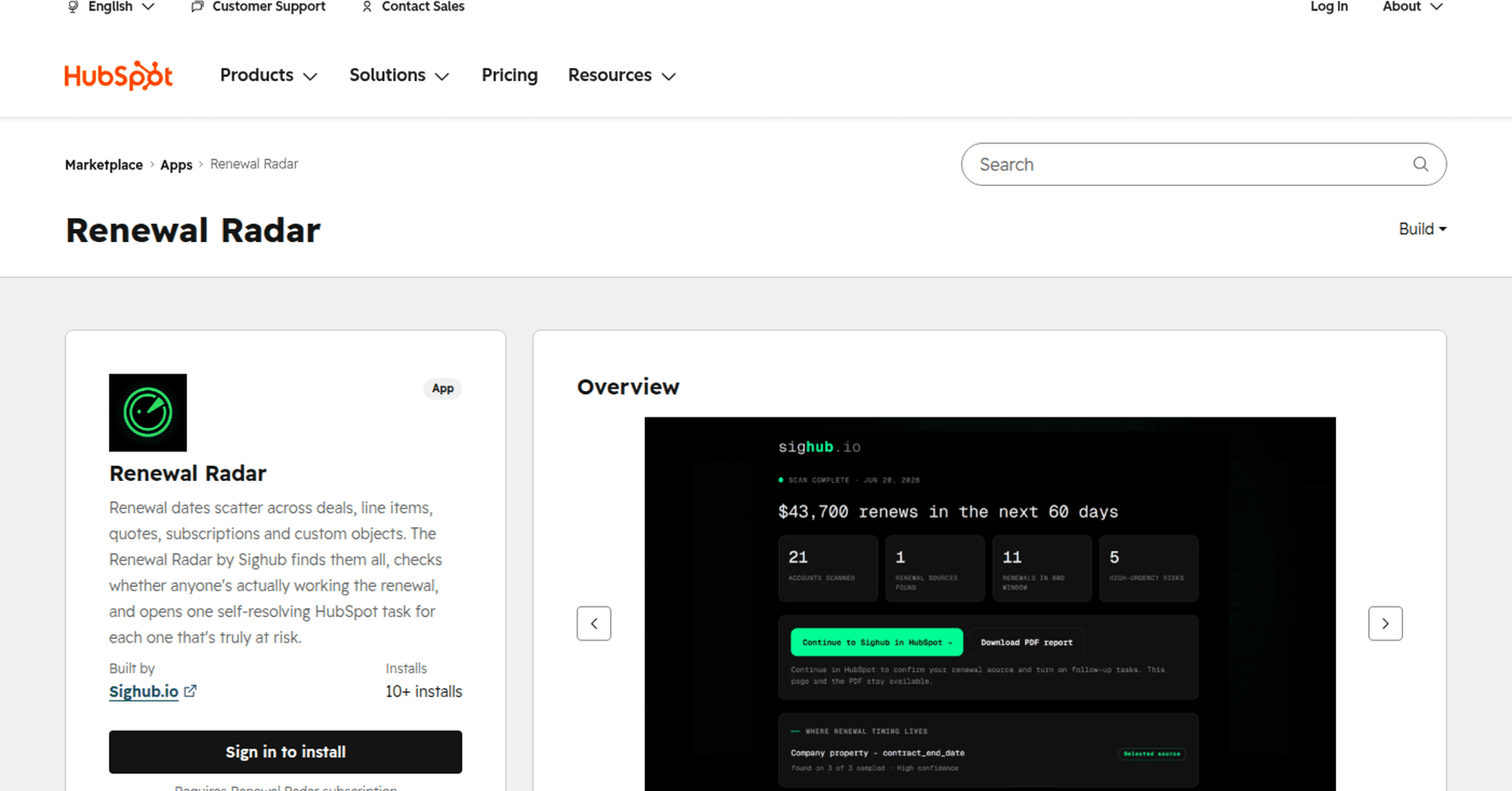
Sighub Renewal Radar in the HubSpot App Marketplace
Sighub’s Renewal Radar scans HubSpot for upcoming and overdue renewals, explains why an account needs attention, and creates follow-up tasks. Here is what the public listing confirms, who the app fits, and what teams should test before enabling daily monitoring.
What Renewal Radar reads and creates
Renewal Radar is a HubSpot renewal tracking app built by Sighub and available through the HubSpot App Marketplace. It is designed to find upcoming and overdue renewals, show why an account needs attention, and keep the next action inside the CRM. HubSpot lists the app in its Customer Success and Workflow Automation categories.
The product separates discovery from recurring automation. The free exposure scan is a point-in-time review of renewal risk across the portal. Daily monitoring is the ongoing workflow that watches customer records, updates risk status, and manages follow-up tasks as the evidence changes. A useful scan does not automatically prove that continuous monitoring will stay accurate after fields, owners, or associations change.
Sighub is the builder, Renewal Radar is the product, and HubSpot is the CRM where it runs. The distinction helps explain why buyers may encounter two names: the Marketplace page is titled Renewal Radar, while its builder is shown as Sighub.io.
The app does not depend on one clean renewal-date property. Its listing says it can inspect deals, line items, quotes, subscriptions, custom objects, and available schema data to identify the strongest renewal timing signal for an account. That matters in portals where renewal dates were added by different teams or inherited from more than one data model.
When the app flags an account, it can display an evidence-based card on the HubSpot company record. The card may show the renewal window, value at risk, owner, activity signals, and the source behind the alert. Renewal Radar can then create one follow-up task on the company record, route it to the right owner where possible, and close it when the underlying risk clears.
Recurring use adds daily monitoring and renewal-source configuration. An operator can confirm the recommended source, select another available field, or use activity-only monitoring when no reliable date exists. The feature is flexible, but the configured source still needs a clear business meaning and an owner who can correct it when the underlying record is wrong.
Where the renewal signal comes from
HubSpot may contain the data required for renewal management without presenting it as one reliable workflow. Sales might update a renewal deal, Finance might rely on a subscription or contract date, and Customer Success might work from a company property or spreadsheet. A report built on one object can therefore miss valid renewal evidence stored somewhere else.
The dates are not interchangeable. Contract end, subscription end, quote expiration, cancellation notice, expected close, and next customer meeting describe different events. The app can surface the available evidence, but the operating team must still decide which source controls the workflow and what happens when two records disagree.
A practical source rule needs more than a preferred field name. It should define the object, property, company association, timezone, allowed writers, and the event represented by the date. When two candidates conflict, the exception should remain visible until an operator can explain which record is authoritative. Choosing the earliest future date without that context can create work for the wrong commercial event.
Ownership has the same problem. A company owner in HubSpot may not be the commercial renewal owner, and reassignment or offboarding can leave a valid alert without a useful destination. A renewal task only becomes operational when it reaches someone who can take the next customer action and there is a fallback for owner exceptions.
The listing presents Renewal Radar as a focused renewal workflow rather than a broad customer-success platform or a universal health score. Its job is narrower: find renewal exposure, show the evidence, and create follow-up work where action appears to be missing. That scope makes the core output easier to inspect account by account.
Who the app fits
The clearest fit is a HubSpot-native SaaS or recurring-revenue team that manages customers in the CRM but still reviews renewals through manual reports, spreadsheets, tasks, or recurring meetings. RevOps, Customer Success Operations, account managers, and commercial owners all need the same basic answer: which account needs attention, why, who owns the follow-up, and when is the next action due?
The fit is strongest when renewal timing is split across HubSpot objects or the company record lacks one trusted date. A team with a clean contract system, reliable CRM sync, complete ownership, and an established renewal queue may have less need for another monitoring layer. Evaluation should start with the existing failure mode, not with the presence of a new app.
The Partner plan extends the use case to teams that run renewal audits or monitoring across client portals. That can suit HubSpot consultancies or RevOps partners whose customers face the same fragmented-date problem. The listing describes the commercial scope, but it does not document the operating model for client authorization, configuration ownership, or cross-portal review; partners need to verify those details before standardizing a service around it.
DailyRevOps sees the free exposure scan as the most useful starting point. A scan can help a team inspect where dates appear and compare flagged accounts with the records it already trusts. Any gaps it reveals in dates, associations, or ownership should be treated as findings to verify, not as independently proven product outcomes.
Renewal Radar or a native HubSpot workflow?
Native HubSpot workflows can often be enough when every customer has one authoritative renewal date, the date is copied to a consistent company property, ownership is complete, and the trigger only needs to create a standard reminder. That approach is transparent and keeps the automation inside tools the team already operates. Its weakness appears when the source field is empty, stale, or different across segments.
Renewal Radar's listed difference is the ability to inspect multiple record types before deciding which account needs action. It can connect the timing signal with owner and activity context, show the evidence on the company record, and manage one task that closes when the risk clears. A single-field workflow usually needs additional logic or preprocessing to reproduce that behavior.
The app is not automatically a replacement for every custom workflow. A portal may already receive clean contract data from a billing platform, contract system, or data warehouse. In that case, a native workflow may be simpler to audit and cheaper to maintain. The comparison should focus on the exceptions the existing setup misses rather than on feature count alone.
Run both approaches against the same five-account sample. Compare the selected date, associated company, owner, task reason, due date, duplicate behavior, and close condition. If the native workflow produces the same valid queue with less administration, another monitoring layer may not add enough value. If multi-object evidence consistently catches real gaps, the app has a clearer case.
Maintenance belongs in the comparison as well. A custom workflow needs someone to update properties, branches, exclusions, associations, and owner rules as the data model changes. A managed app reduces some of that configuration burden but adds vendor permissions, plan management, and dependency on the product's detection logic. The better option is the one the team can explain, monitor, and correct over time.
Plans, permissions, and current Marketplace evidence
The listing names three plans: Free, Team, and Partner. Free is shown at €0 and is described as a way to find renewal exposure before monitoring is enabled. Team adds daily monitoring for one HubSpot portal. Partner is positioned for renewal audits and monitoring across client portals.
HubSpot labels the app's access type as Shared and provides separate controls for compatible plans and required account permissions. Those requirements matter because a Marketplace page can be public while installation still depends on the buyer's HubSpot edition, user permissions, and Sighub subscription. The administrator performing the install should review the live requirement panels rather than assume every portal has the same access path.
HubSpot also states that a Renewal Radar subscription is required. The Marketplace install and the Sighub plan are therefore connected parts of setup. Plan terms, portal limits, taxes, discounts, and service conditions can change, so the listing and Sighub’s current product documentation remain the sources for live commercial details.
The shared-data section says the app reads selected CRM records, property definitions, ownership information, activity metadata, support signals, and currency settings. Listed sources include companies, deals, line items, quotes, subscriptions, custom objects, contacts, owners, tickets, product and deal properties, and analytics settings where they support the renewal workflow.
The same section says Renewal Radar does not read email content or email activity. An administrator should still compare the requested HubSpot permissions with the objects and fields needed for the selected use case. DailyRevOps also recommends documenting the source object, field, business meaning, allowed writers, last update, and conflict rule for every renewal date used in monitoring.
At publication, the Marketplace page showed 10+ installs and no customer reviews. That confirms an installation route and public availability, while public adoption evidence remains limited. The count is not a representative customer sample and says nothing about renewal accuracy, implementation quality, retained revenue, or fit for a particular portal.
The public listing does establish several useful facts: HubSpot identifies Sighub.io as the builder, displays compatible-plan and permission requirements, documents the app’s features and shared data, and offers a sign-in route for installation. DailyRevOps has not independently installed the app, inspected its code, tested it in a production portal, or reviewed customer outcomes for this article.
A five-account evaluation checklist
DailyRevOps recommends beginning with one portal and five customer accounts. Include clean records and difficult exceptions rather than selecting only examples likely to pass. The test should show whether the app can reconstruct renewal timing from the data the team actually has, not from the data model it wishes it had.
For each account, compare the proposed renewal date, source object, value, owner, risk reason, open work, recent meaningful activity, and next customer action with current CRM and contract evidence. Mark every result as accepted, corrected, or rejected. Record why a result was wrong so configuration issues can be separated from missing fields, stale records, weak associations, or unsupported business rules.
Do not score the pilot only on obvious risks that the team already knows. Include one healthy account that should remain quiet and one difficult account that a single-field workflow would miss. False alerts create avoidable work, while a missed renewal can leave revenue exposed. The sample needs both outcomes so operators can assess precision and coverage instead of celebrating the number of records returned.
If the sample is reliable, define a queue owner, a fallback owner, required task evidence, a duplicate-task rule, the automatic close condition, and a weekly exception review. Keep the first monitoring test narrow. A broader rollout should follow only after the queue stays current and owners complete the work it creates.
- Trace every proposed date to its HubSpot object, property, company association, and source timestamp.
- Include conflicting dates, a missing owner, an open renewal deal, a quiet customer, and a recently completed renewal action.
- Keep contract end, subscription end, quote expiration, notice deadline, and expected close as distinct concepts.
- Repeat the scan without changing records and check for stable results and duplicate tasks.
- Verify the task’s risk reason, source evidence, owner, due date, and automatic close condition.
- Compare the installed HubSpot scopes with the objects and fields used by the chosen workflow.
What to measure in a pilot
Alert and task volume are weak success measures on their own. A useful pilot should track valid exceptions, time from detection to owner action, duplicate tasks, incorrect closures, missing owners, manual corrections, and whether each open risk has a dated next customer action. Renewal outcomes should not be attributed to one app without a comparable baseline and a record of the work that followed each alert.
Start with precision: how many flagged accounts genuinely required follow-up? Then inspect coverage by sampling known renewals that should have appeared but did not. Record the reason for every false alert and miss. The pattern matters more than the percentage in a tiny pilot because it shows whether the limitation comes from configuration, source data, associations, ownership, or the detection logic itself.
Measure actionability separately from detection. A correct renewal date still creates little value if the task reaches the wrong owner, lacks the evidence needed for a conversation, or arrives after the notice deadline. Track the time between alert creation, owner acceptance, and the first dated customer action. Rejected tasks should keep a reason so the queue can improve instead of merely shrinking.
Queue hygiene is another operating measure. Count duplicate open tasks, alerts that return immediately after closure, tasks that remain open after the risk clears, and accounts whose status changes without an understandable source event. Review those exceptions weekly during the pilot. Automation deserves broader authority only when operators trust what enters the queue and what leaves it.
Finally, compare the work required with the current process. Include setup time, source corrections, permission review, owner maintenance, manual checking, and the minutes spent resolving false alerts. A pilot can be operationally useful without proving a revenue outcome, but it should reduce the cost of finding the right customer conversation or improve the quality and timing of the follow-up.
DailyRevOps assessment
Renewal Radar is easier to evaluate than a broad predictive product because its workflow is narrow. It asks which customer renewal may need a conversation now, what HubSpot evidence supports that decision, and who should act. RevOps and Customer Success teams can inspect that answer on individual company records.
Its value hypothesis is operational rather than predictive: a valid risk should become visible early enough, reach the correct owner, and disappear from the queue when the reason for action has cleared. That sequence can be checked in the CRM, but it still depends on the quality of the portal data and the team's willingness to complete the customer follow-up.
The Marketplace listing gives Sighub and Renewal Radar a verifiable public identity inside the HubSpot ecosystem. For teams with scattered renewal dates and inconsistent follow-up, the free scan and a five-account evidence review offer a bounded way to decide whether recurring monitoring deserves a place in the operating process.
Original source
This DailyRevOps article is written in our own words from the source signal and adds RevOps context, workflow analysis, and operator interpretation.
- Original source: HubSpot App Marketplace
- Original publication date:
- Source link: Read the original article